Easily View Phone Activity Insights

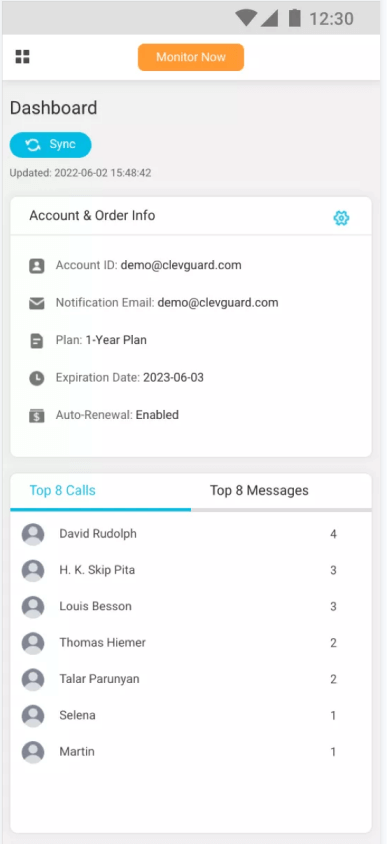
Access device records such as messages, contacts, call logs, browser history, calendars, and more. View important information in one place and export selected records when needed.

  • icon_message

    Read Messages

    View message history with content, recipients, timestamps, images, and attachments. Select and export records when needed.

  • icon_call

    Check Call History Online

    Use this call monitoring software to check the call logs on others' phones. You can see the phone numbers, names, dates, times, and call types.

  • icon_browser

    View Browser Activity

    View browser activity to help support safe and responsible internet use. Access information such as visited sites, timestamps, and page titles, all with proper consent.

  • icon_data

    More Device Activity Insights

    KidsGuard Pro provides access to important device information, including contacts, calendars, notes, app activity, and more.

img_remotely
img_view_photos

View Photos & Videos on the Target Phone

KidsGuard Pro enables you to access the photos and videos saved on the target Android or iPhone. You can view any piece of images and videos sorted by date.

You can even download the photos or videos selectly for further use!

Location Awareness

Stay informed about your family's whereabouts with GPS and Wi-Fi location features. Set up location zones and receive alerts when a family member arrives at or leaves designated places. Available with proper consent and authorization.

  • icon_Track_gps Family Location Awareness
  • icon_history View Location History
  • icon_wifilocation Location Updates via Wi-Fi
  • icon_setup Setup Geofence

icon_tanhao Note: Features differ between ios and android systems.

img_keep

View Activity Across Popular Social Media Apps

Stay informed about your child's social app activity, including app usage information, activity records, and shared content. Access everything conveniently without rooting or jailbreaking the device.

Remote Safety & Activity Tool to Protect Your Family

KidsGuard Pro offers remote safety tools to help you stay informed about phone activity anytime. View real-time insights and understand device usage even when you are not nearby. Live features provide environmental awareness to support family safety.

icon_tanhao Note: Some of the features listed below are available for Android devices only.

img_live
  • Capture Screenshots

    Capture screenshots of the target phone remotely, knowing what they are viewing, chatting, or playing.

  • Record Screen

    If the Capture Screenshots feature can't satisfy your needs, you can record the target phone screen in 15s, 30s, or 1 min.

  • Record Surround

    Remotely record the surroundings of the target device. You can hear what is happening or who is talking around them.

  • Take Photos

    Turn on the camera of the target phone, and take secret photos.

  • Record Calls

    Record all of the phone calls, including incoming and outgoing calls. You can listen to the call records and download them.

  • Track Keywords

    Set keywords. You can receive real-time email alerts when they input or receive information that includes any of the keywords.

Only 5 Minutes to Get Started on iPhone & Android

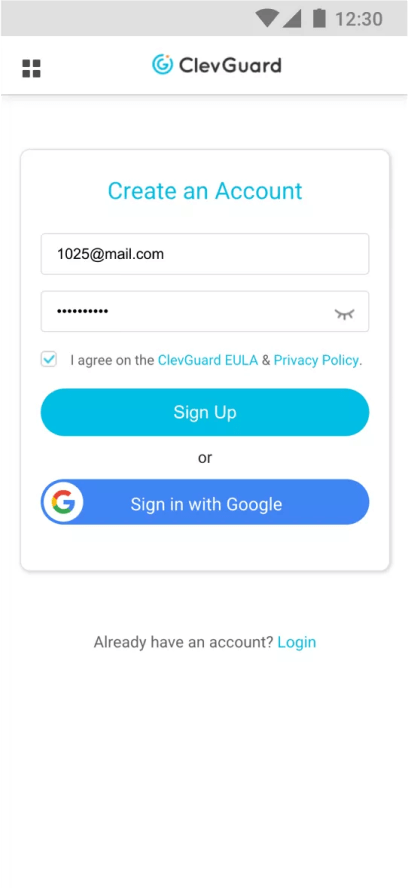
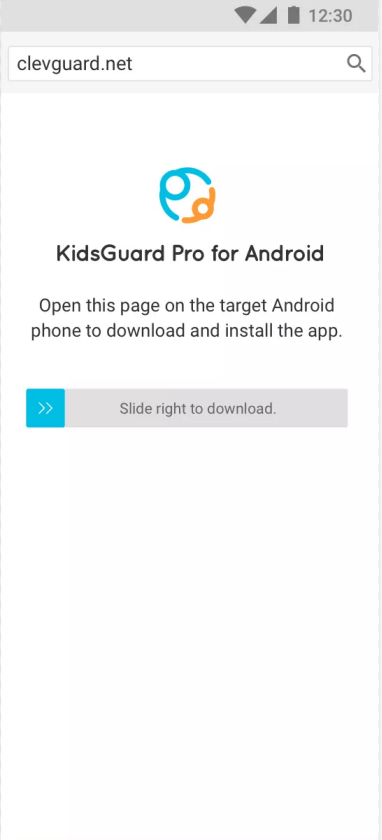
KidsGuard Pro is a comprehensive family safety and device management solution. With a simple setup process, you can access important device information and activity records from Android devices, iPhones, and iCloud accounts in one convenient place.

Why KidsGuard Pro is the Best Parental Control App

As a feature-rich family safety and device management solution, KidsGuard Pro helps families stay informed with important device information and activity records. It provides an easy way to access device activity insights and support responsible digital habits.

icon_Real
Real Time Data Syncing

Real time data syncing either by Wi-Fi or 3G/4G network.

icon_easy
Easy Installation

No root or jailbreak required. 5 mins to finish the installation.

icon_nosee
100% Safety

The app content is safe and reliable

icon_Privacy
Privacy & Data Protection

100% virus free, and the user data is also encrypted.

icon_moredata
More Supported Data Types

More supported data types for monitoring to satisfy your needs.

icon_competitive
Competitive Price

With so much useful features, KidsGuard Pro worths every penny!

icon_Timely
Timely Customer Support

24/7 customer support team is always there to help.

icon_Trusted
Trusted by Top Media

Top media has reported and recommended it to more people.

Compatibility

KidsGuard Pro for Andoid

Android 6 - Android 16

  • etc.

KidsGuard Pro for iCloud

All iOS devices and versions are supported.

KidsGuard Pro for iOS (No Root)

iOS Viewer (PC) Win 11/10/8/7

macOS Sequoia 15.2

macOS Sonoma 14.7

macOS Ventura 13.7

macOS Monterey 12.7.6

macOS Big Sur 11.7.10

macOS Catalina 10.15.7

macOS Mojave 10.14.6

macOS High Sierra 10.13.6

macOS Sierra 10.12.6

OS X El Capitan 10.11.6

OS X Yosemite 10.10.5

iOS Devices Monitored

No limit

kidsguardpro_box

KidsGuard Pro

Take Control of Digital Safety for Your Family

103,895users have chosen KidsGuard Pro.

Why Families Choose KidsGuard Pro

Frequently Asked Questions:

  • Q1. Is this legal to use?

    Yes. It is designed for family safety, parental guidance, and responsible digital wellbeing management.

  • Q2: Who is this product for?

    Parents and guardians who want to understand and improve digital safety within their family environment.

  • Q3: Can it be used without consent?

    It is intended for responsible and lawful use within family safety scenarios.

  • Q4: How does phone monitoring support family safety?

    Phone monitoring can help parents better understand device usage patterns, online activity, and potential risks that may require attention.

  • Q5: Is ClevGuard designed for parental supervision?

    ClevGuard helps parents stay informed about their children’s digital activities and supports family safety and digital wellbeing.

Learn More